
Table of contents
- The automation stack from decision to exchange fill
- Strategy ownership and custody remain separate
- Signals, Grid, DCA, and TradingView serve different inputs
- One intent can enter the system three ways
- Backtests and demo use answer different questions
- Costs and access determine whether a workflow is usable
- Advanced use: managing multiple accounts
Automated crypto trading uses software to determine or manage order parameters and send authorized instructions to an exchange. It can automate timing, price, quantity, and order management, but it does not remove the trader’s responsibility for choosing the strategy, configuring risk, granting access, and deciding when the workflow should stop.
The simplest way to understand the system is as a four-part stack:
1. Strategy input: A rule, recurring purchase plan, price range, TradingView alert, or trading signal supplies the intent.
2. Bot configuration: The trader defines how that input becomes an order, including the relevant account and strategy settings.
3. Exchange connection: API permissions authorize specified actions on the connected exchange account.
4. Market execution: The exchange accepts, rejects, or fills the order under live prices, liquidity, and technical limits.
That separation matters. A bot can execute consistently without knowing whether the underlying idea is sound. It can also receive a valid instruction that produces a different result from the one expected because the market moved, liquidity changed, or the exchange rejected the request.
The automation stack from decision to exchange fill
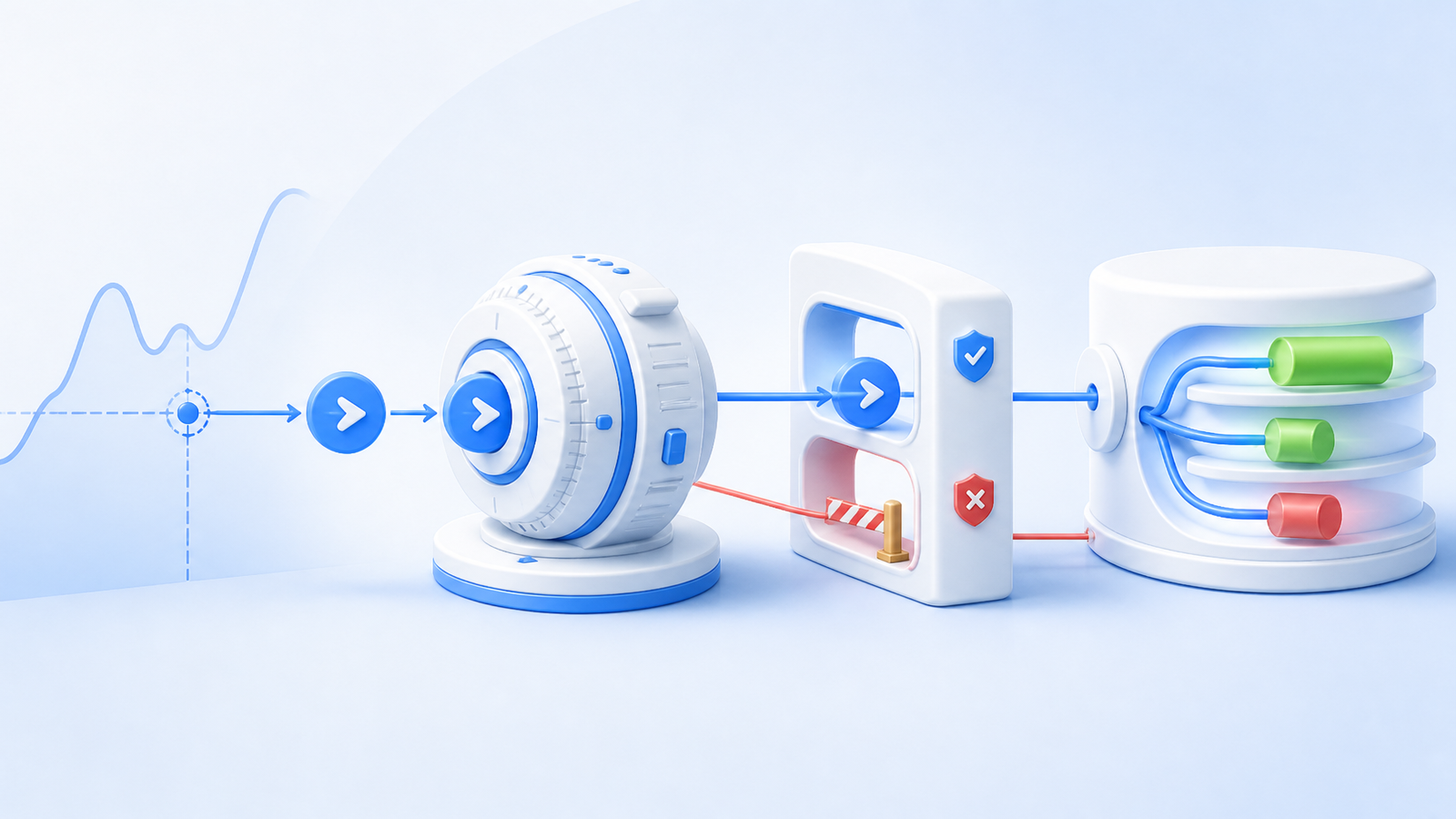
The strategy remains the starting point. In algorithmic crypto trading, software may determine when to initiate an order, its price or quantity, or how to manage it after submission. Software that merely routes an order without determining those parameters is not algorithmic trading under ESMA’s formal definition.
Once a rule or signal meets its trigger, the bot translates it into an exchange instruction. The connection does not make the automation provider the exchange. Instead, an API key grants defined permissions on the exchange account. For example, Binance documents separate TRADE permission for placing orders and USER_DATA permission for monitoring order status in its Spot API documentation.
The exchange then controls the final execution state. An order might be filled, partially filled, rejected, or left open, depending on its terms and current conditions. Technical limits matter too: Binance returns HTTP 429 when request or order limits are exceeded, and repeated requests without backing off can lead to an IP ban. Automation therefore reduces manual action; it does not guarantee acceptance or a fill.
Strategy ownership and custody remain separate
Automation can control order instructions without taking custody of the assets. An API integration uses permissions authorized at the exchange, which does not by itself establish a transfer of asset custody to the integration provider. Before connecting any provider, confirm its current requirements and the exchange’s current permissions.
A trading connection should have the access needed to trade but not withdrawal rights, and an exchange may allow API access to be restricted to specified IP addresses or ranges. Binance’s API-key security guidance recommends trading access without withdrawal rights and explains IP restrictions.
This boundary protects only part of the workflow. Restricted withdrawal access does not make a strategy safe. The trader still chooses the bot, sizing, account, input source, and configuration. If a signal provider supplies the idea, the provider controls that input while the follower remains responsible for deciding whether to automate it and under what settings.
Signals, Grid, DCA, and TradingView serve different inputs
Choose the source of the trading decision before choosing a bot. At Cornix, we provide Signals, DCA, TradingView, and Grid Bots, each built around a different relationship between an input and an order.
| Automation model | Best fit | What triggers execution | Decision-changing constraint |
|---|---|---|---|
| Signals Bot | A trader who wants to follow trade instructions from their own analysis channel or an external provider | A configured signal received through the connected channel workflow | The signal source supplies the trade idea; the follower remains responsible for evaluating that source |
| Grid Bot | A predefined strategy intended to operate within selected market conditions | The bot’s configured Grid strategy and market conditions | Its logic depends on the selected configuration and the market behaving consistently with that premise |
| DCA Bot | A trader who wants a continuously running predefined DCA strategy | The activated strategy, market conditions, and selected settings | Recurring execution does not decide whether continued accumulation remains suitable |
| TradingView Bot | A self-directed trader whose scripts, indicators, or alerts define the trigger | A TradingView script, indicator, or alert fires | A mistaken, delayed, or unsuitable alert can still become an order on the connected account |
| Multi-account workflow | Professional traders or asset managers operating across several accounts | Signals or configured bots act across managed accounts | Cornix provides a dedicated crypto asset management platform for this workflow |
Our Signals Bots can execute trades from your own Telegram-channel analysis or an external provider’s channel after you configure and activate the bot. Activation enables signal parsing and auto-trading for that channel.
Our DCA and Grid Bots run from predefined strategies, market conditions, and selected configurations after activation. TradingView Bots act when your scripts, indicators, or alerts fire. These models differ in who creates the input, but you remain responsible for selecting settings and judging the strategy.
One intent can enter the system three ways
Consider a hypothetical trader who wants to buy an asset only after a chosen market condition occurs. The intent can reach the exchange through several routes:
- Manual rule: The trader watches the condition, chooses the order parameters, and submits the order personally.
- TradingView workflow: The trader encodes the condition in a script, indicator, or alert. When it fires, the configured bot sends an order instruction to the connected API account.
- Signal-following workflow: A channel supplies the trade instruction. A configured Signals Bot can translate a valid signal into a trade, or the follower can use one-click manual following.
The three routes may express similar intent, but their control points differ. The manual trader controls the observation and submission time. The TradingView user controls the alert logic and bot configuration. The signal follower depends on the channel’s instruction while retaining control over whether and how to follow it.
After submission, all three routes face exchange conditions. Order type and price movement affect whether execution occurs as intended. Fees change the net result, while liquidity and slippage can make a live fill differ from the expected price. Fast movement may also produce partial fills or skipped orders.
Backtests and demo use answer different questions
Testing can show whether rules behave as designed, but it cannot prove future live performance. Cornix maintains separate documentation collections for demo accounts and backtesting within its Trading Bots resources, allowing traders to evaluate workflows before treating historical results as live expectations.
A backtest asks how a strategy would have behaved under its data and simulation assumptions. A demo environment can help expose configuration or workflow errors without using live capital. Neither reproduces every live variable.
Cornix’s backtesting assumptions state that exchange trading fees are deducted from total PnL, but liquidity and slippage may not be captured fully. Its backtests check prices every 15 seconds, while live exchanges operate in milliseconds. Rapid movement can therefore cause a live order to fill partially or be skipped even when the backtest records a different outcome. Historical performance also cannot account for every later economic, political, regulatory, or market change.
Costs and access determine whether a workflow is usable
Before using live capital, confirm four universal constraints in one place: the platform supports the intended exchange and market, the API permissions match the workflow without granting withdrawals, the test environment answers the relevant configuration question, and subscription plus exchange trading costs are acceptable. Do not proceed when required access is unclear or unsupported.
Execution costs extend beyond a platform subscription. Exchange trading fees affect net results, while slippage and liquidity can change the achieved price. A strategy that trades more frequently encounters those variables more often. Cornix subscriptions provide access to automated trading features, bots, and portfolio-management tools; current plan and payment details belong in its billing documentation.
For one documented connection example, Cornix’s Binance Quick Connect workflow starts in Portfolio > Accounts, asks the user to choose Binance and the desired sub-exchanges, and requires Binance authentication and account-access confirmation. Cornix describes the resulting API keys as encrypted and IP-restricted. That example is specific to Binance; other providers may impose different requirements.
Advanced use: managing multiple accounts
Professional traders and asset managers can use our Asset Manager Plan to monitor balances, portfolio performance, assets, positions, and trades across multiple accounts. This adds an orchestration layer; strategy changes, exits, and signal inputs still need a clear owner.
Once you know whether your input is a signal, Grid configuration, DCA strategy, or TradingView alert—and you have confirmed the exchange, permission, testing, and cost boundaries—Start Trial to evaluate the matching Cornix automated crypto trading workflow.
Frequently Asked Questions
Can I review a Telegram channel signal before placing the trade?
Yes. Cornix subscribers can choose manual one-click signal following instead of automatically opening trades for valid channel signals.
What bulk controls are available for Cornix multi-account workflows?
The Asset Manager Plan includes controls to edit, activate, deactivate, delete, or close multiple bots or trades. Available actions differ by bot type.