Table of contents
- The alert-to-order path in plain English
- TradingView alerts versus manual execution
- Indicator alert versus Pine Script alert
- Webhook bot versus Telegram signal bot
- Workflow checkpoints to review before activation
- Test the full chain before using real funds
Yes. A TradingView webhook trading bot can turn a chart alert into an automated crypto trade workflow, provided the alert, webhook endpoint, bot configuration, and connected exchange account all describe the same intended action. Choose direct webhook execution when your own TradingView rule should act on your own account. Choose a signal-publishing workflow when the alert should first become a structured signal for a channel or managed group. Keep alerts manual when you still need discretionary approval at the moment of entry.
A webhook is the delivery bridge, not the strategy. TradingView sends an HTTP POST request to the URL entered in an alert when that alert fires; the alert message becomes the request body. The trading bot then interprets the authorized trigger according to its preconfigured rules and, where connected, submits the intended trading action to the exchange account.
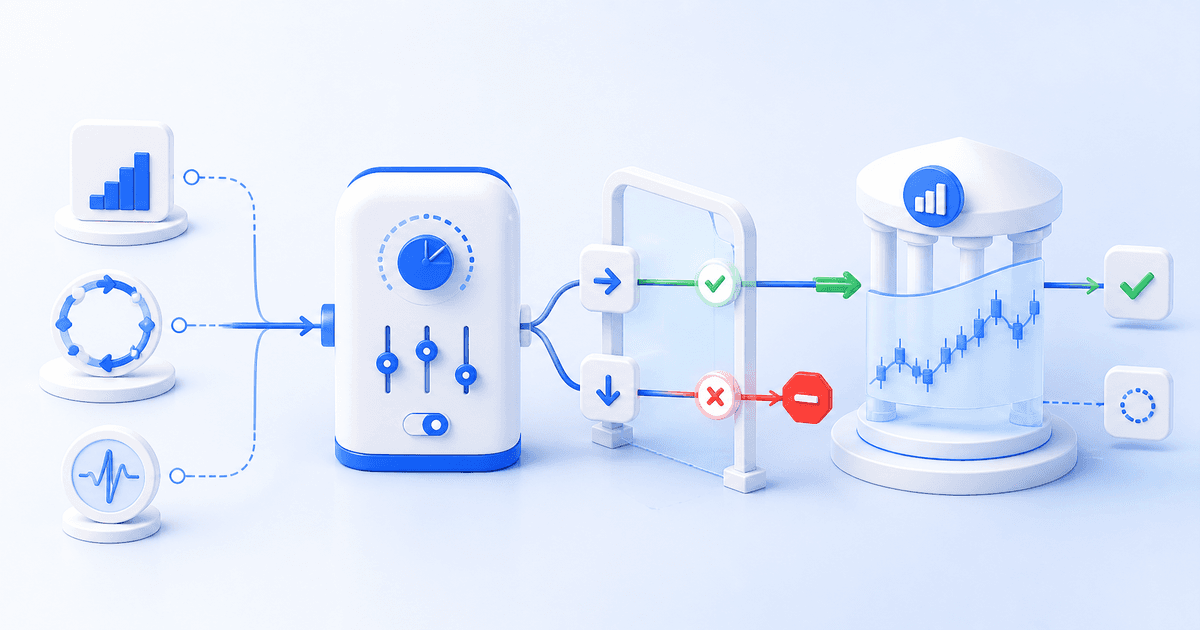
The alert-to-order path in plain English
A practical workflow has five distinct steps:
- Trading logic identifies a condition. This can be a price level, indicator condition, drawing alert, or a rule in a Pine Script.
- TradingView fires an alert. Alerts run on TradingView's servers, so they do not require you to stay logged in.
- The webhook delivers the trigger. TradingView posts the alert message to the bot platform's endpoint.
- The bot applies its configuration. The selected exchange account, symbol handling, trade amount, entry structure, exits, and operational limits determine what happens next.
- The exchange processes the order. An accepted webhook does not itself guarantee a fill, price, or profitable outcome. Market conditions and exchange rules still govern execution.
That separation is worth keeping clear. Your Pine code or indicator decides when to call attention to a setup. The webhook carries that event. The bot configuration decides what action is prepared. The exchange decides how a submitted order is handled.
TradingView alerts versus manual execution
Manual alerts work best when the alert is a prompt to reassess context. You receive the notification, check the chart, confirm position exposure, and decide whether to trade. This retains discretion, but it also introduces delay and depends on availability.
Webhook automation works best when the condition is already specific enough to be acted on without another judgment call. Cornix TradingView Bots are designed to execute preconfigured trades when TradingView alerts arrive through webhooks. Their setup separates general details, entries, take-profit, stop, and advanced controls, so the alert need not carry every trading parameter.
The tradeoff is straightforward: automation makes a defined process repeatable, while manual review lets you reject a technically valid alert because the broader situation has changed. Neither approach removes trading risk. The right choice depends on whether your alert is an instruction or merely a research cue.
Indicator alert versus Pine Script alert
An indicator alert is often enough when the trigger is simple: price crossing a level, an indicator condition, or a chart event. It is a sensible starting point for validating webhook delivery because the chain is easier to inspect.
A Pine Script alert is more appropriate when the trigger depends on logic you have coded. TradingView supports alerts from alert() calls and, for strategies, from order-fill events. Script authors can customize strategy order-fill messages with the alert_message parameter. The practical advantage is flexibility. The practical responsibility is that the alert type, frequency, symbol, timeframe, and message must still match the workflow you intended.
One easy-to-miss detail is that TradingView saves a snapshot of the script, its inputs, symbol, and timeframe when an alert is created. Later chart or input changes do not update that running alert. Recreate the alert after material script or context changes rather than assuming the old one follows your revised chart.
Webhook bot versus Telegram signal bot
A direct TradingView bot is for a personal or account-specific execution path: your alert fires, then the bot follows the settings you assigned to that bot. Cornix documents separate opening and closing webhooks for its TradingView Bots. The opening webhook initiates a trade according to bot configuration, while the closing webhook closes trades created by that bot when its linked alert fires.
A TradingView-to-signals workflow serves a different job. Instead of sending the alert straight to execution, Cornix TV to Signals Bots generate and publish a structured signal to a selected Telegram channel, personal group, or Discord server. That route is useful for community admins or asset managers who want TradingView logic to create a consistent signal distribution event before subscribers' or managed accounts respond through their own signal setup.
The choice is not about which route is more advanced. It is about ownership of the decision. Use direct execution when one configured bot should act on a connected account. Use signal publishing when the alert is a source event for a channel or account group. Do not use either route until you can explain who can change the alert, who can pause the bot, and who reviews unexpected activity.
Workflow checkpoints to review before activation
Treat the first live-style test as a systems check, not a strategy verdict.
- Alert condition: Confirm whether it is a chart, indicator,
alert()call, or strategy order-fill event, and ensure its frequency matches your intent. - Destination: Paste the exact endpoint required by the automation provider. TradingView advises against including passwords or login credentials in webhook bodies, and webhook alerts require two-factor authentication.
- Message: In Cornix's TradingView connection flow, the message field uses the bot's copied Create Trade or Close Trade webhook, without extra text. TradingView alert connection guide
- Bot scope: Verify the connected exchange account, market type, symbol behavior, and amount before activating. Cornix can also use the symbol from the alert when that option is selected.
- Repeat behavior: An active Cornix TradingView Bot can create a new trade whenever its connected alert triggers unless its advanced settings change that behavior. Review cooldowns and trade limits before treating repeated alerts as harmless.
- Monitoring: Check the TradingView alert log and the bot and exchange order history. TradingView notes that webhook delivery can occasionally fail and exposes delivery status in the alert log.
Test the full chain before using real funds

Backtesting and demo testing answer different questions. Historical testing can help you study how a rule would have behaved against past market data, while a demo workflow lets you inspect the live chain from alert through bot behavior using simulated funds. Cornix Backtesting
Cornix's simulated Demo Account includes TradingView Bots, uses a dedicated demo webhook URL, and does not require an exchange API connection. That makes it useful for checking whether the right alert reaches the right bot, whether an opening or closing trigger behaves as expected, and whether you know how to deactivate the workflow. It does not reproduce every live execution condition or establish that a strategy will succeed.
Selection principle: automate only the portion of your TradingView process that is already explicit. Use a direct TradingView bot for account-level execution, use TradingView-to-signals for channel distribution, and preserve manual review when the alert alone is not enough to justify a trade.
Ready to map a webhook alert to a testable automation workflow? Explore Cornix TradingView bots
Frequently Asked Questions
Can I connect TradingView alerts to a crypto trading bot with webhooks?
Yes. TradingView can send an HTTP POST request to a webhook URL when an alert triggers. The automation platform must provide a compatible endpoint and a configured bot or workflow to handle that event. TradingView webhook configuration
Do I need Pine Script to use a TradingView webhook trading bot?
No. TradingView alerts can come from price conditions, drawings, indicators, or scripts. Pine Script is useful when you need custom trigger logic, dynamic alert messages, or strategy-related alert events. Pine Script alert concepts
What is the difference between a TradingView bot and TradingView-to-signals?
A TradingView bot can execute a preconfigured trade when its linked alert triggers. A TradingView-to-signals bot instead turns the alert into a structured signal published to a selected channel, group, or server. Cornix TradingView Bot setup TradingView to Signals Bots
Can I test TradingView webhook automation without connecting an exchange account?
Cornix documents a simulated Demo Account that supports TradingView Bots and uses a dedicated demo webhook URL, so users can test the workflow without an exchange API connection. Simulation is still not proof of live execution or strategy results. Cornix Demo Account guide